



How Business Intelligence in ERP Improves Your Company in 2026

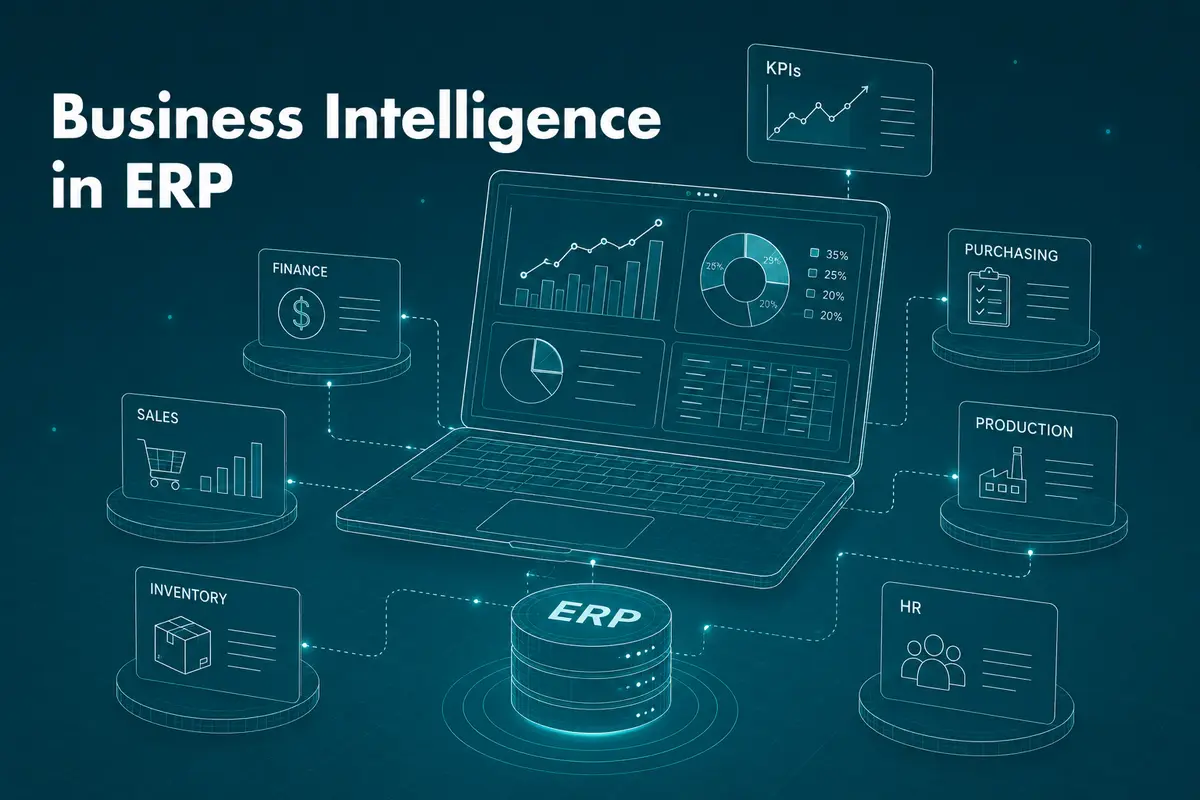
Business intelligence in ERP means pairing your enterprise resource planning system with tools that turn its raw operational data into dashboards, forecasts, and answers your team can act on the same day. On its own, an ERP system stores and moves data. BI is what makes that data speak.
The pairing is not new.
What has changed by 2026 is how fast BI now works inside the ERP itself, with AI agents doing a chunk of the analysis that used to sit on an analyst's desk for a week.
This article looks at what business intelligence actually adds to an ERP system, the tools leading the field this year, and the real obstacles that trip up companies trying to bring the two together properly.
What's the difference between ERP and BI?
An ERP system runs the business. It manages manufacturing schedules, inventory counts, finance ledgers, and supply chain moves, and it centralises that data so departments stop working from separate spreadsheets. A BI layer takes that same data, along with information from outside the ERP, and turns it into something a manager can actually read: a chart, a trend line, a forecast.
Most companies already have the first half sorted. The second half is where the value gets left on the table.
ERP | BI | |
|---|---|---|
Core job | Runs day-to-day operations | Analyses and explains the data |
Best at | Real-time operational visibility | Trends, forecasts, patterns |
Decision level | Operational (what's happening now) | Strategic and tactical (what to do next) |
Output | Transactions, records | Dashboards, reports, predictions |
If you want the basics of how that second half works, our article on data visualisation in business intelligence is a good starting point.
Whether you're judging the return on a marketing campaign or the savings from tighter inventory control, BI is what shows you the number. Without it, an ERP just tells you the process ran. It doesn't tell you whether the process worked.
ERP and BI together: a holistic view
An ERP system handles a wide range of data: sales figures, inventory records, production output, and customer orders. On its own, that data sits in tables. Add BI, and the same tables start answering questions about resource allocation, bottlenecks, and where money is actually going.
Pairing the two also closes a gap that trips up a lot of companies: the lag between something happening on the shop floor and someone finding out about it. When BI is wired into the ERP directly rather than bolted on as an afterthought, that lag shrinks from days to minutes.
Companies that build or upgrade custom ERP software development with BI baked in from the start tend to avoid the retrofit problems that come with adding analytics years later.
How BI tools strengthen your ERP
An ERP system on its own gets data-related work done faster. It does not, by itself, make that data useful. That gap is where BI earns its place.
Data management
Even a modest ERP deployment produces a large volume of data every day. Left uncategorised, it becomes a pile with limited practical use. BI addresses this through proper data management and warehousing, so information stays searchable and usable rather than just stored.
Making legacy data useful
Data from old software or retired processes still holds value, but pulling anything meaningful out of it is often hard. BI tools are built for exactly that job: reading legacy formats and turning them into something current systems can use. If your company is planning a system change, our guide to migrating legacy data covers the main pitfalls to watch for.
Cutting the guesswork
Companies that skip BI end up making strategic calls on instinct. With the right BI tools sitting on top of the ERP, decisions get backed by real trends instead of a manager's gut feeling.
Microsoft's own 2026 rollout makes the point well. As of 16 June 2026, its Dynamics 365 ERP apps plugin for Copilot Cowork went generally available, bringing ERP data, workflows, and operational context directly into a conversational AI workspace. In Microsoft's own demo, a procurement team uses it to pull supplier bids from emails and spreadsheets, compare them against sourcing criteria and ERP policy, and generate a recommendation, all without leaving the chat window. That's BI-in-ERP doing the job it was always meant to do, just faster.
The benefits of BI inside your ERP in 2026
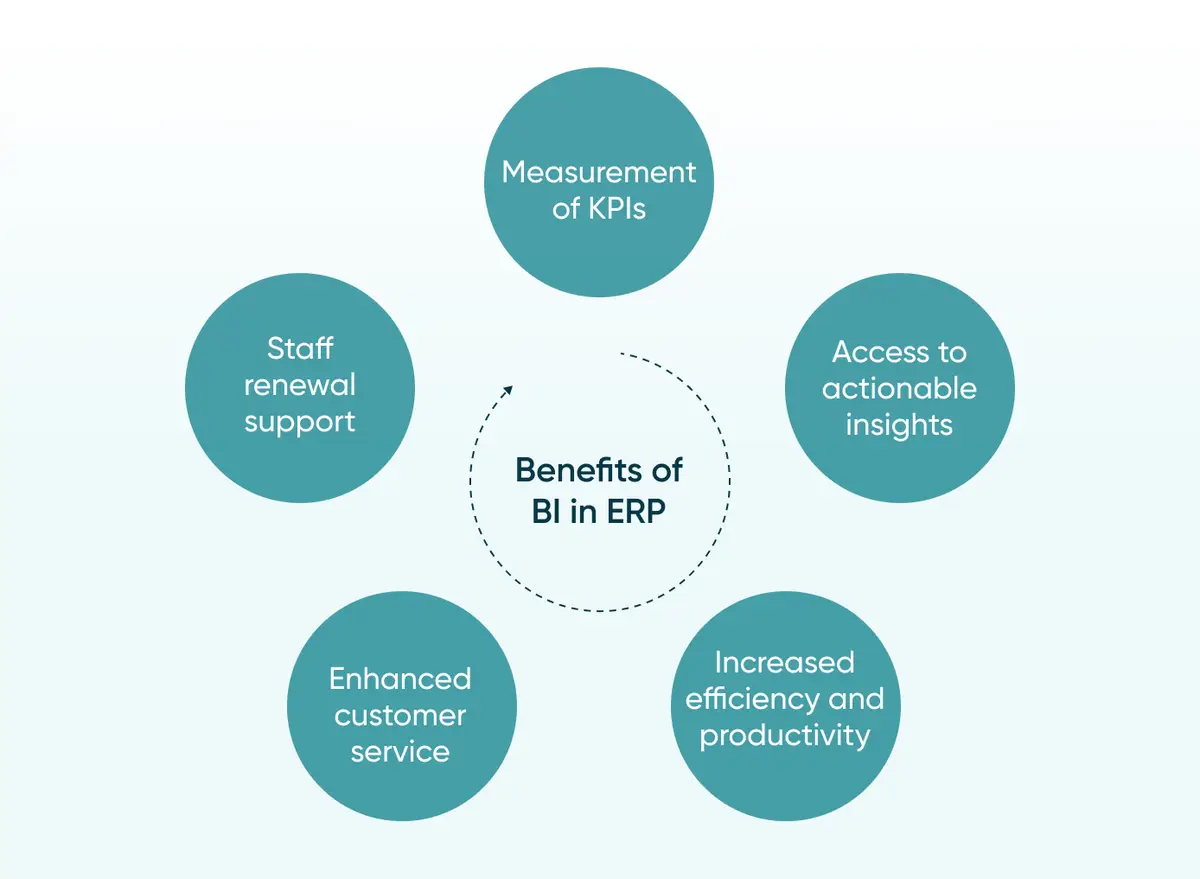
We've covered the overall value BI brings to an ERP system. Here's where that value actually shows up.
Tracking the KPIs that matter
BI inside an ERP lets you measure sales growth, productivity, profitability, customer satisfaction, staff satisfaction, and process performance in one place. Pick the handful of KPIs that genuinely matter to your business, and BI gives you a live read on all of them.
Turning data into decisions faster
BI surfaces trends and anomalies that are easy to miss in a manual review. Raw numbers become charts and reports that a manager can scan in minutes rather than an afternoon. That speed matters more than it sounds: a business that spots a supply problem in a day responds very differently to one that spots it in three weeks.
PayPal's 2026 rollout of conversational BI shows what this looks like at real scale. The company extended its Looker semantic layer with a secure Model Context Protocol server, giving over 5,000 employees the ability to query petabytes of BigQuery data in plain English through Claude Desktop, with near 100% accuracy against governed metrics and insight time cut by more than half. Most mid-market companies won't need infrastructure at that scale, but the direction, self-service BI without sacrificing governance, is exactly where the tools are heading.
Working more efficiently
BI gives staff the information they need to do their jobs better and helps leadership spot where a process is quietly wasting time or money. Paired with business process automation, the same data that surfaces a bottleneck can also trigger the fix.
Serving customers better
BI helps a company understand what its customers actually want, which sharpens everything from marketing timing to support response. That understanding lands best when it flows straight into custom CRM software, so sales and support teams see the same picture the analytics team does.
Making fairer people decisions
BI and analytics inside an ERP support better hiring and performance decisions by grounding them in actual output data rather than office politics. It doesn't remove judgment from the process. It just gives that judgment something solid to stand on.
Boost efficiency and get more out of your ERP by adding a proper BI layer. Share your project brief and let Go Wombat help you scope it.
How AI is reshaping BI in ERP
The BI-in-ERP conversation used to stop at dashboards. By 2026, it will have moved a step further, into agents that don't just show you a trend but act on it.
SAP made that shift explicit at Sapphire 2026. CEO Christian Klein unveiled the company's Autonomous Suite, which now embeds 224 AI agents and 51 role-based assistants across finance, spend, supply chain, and HR, all grounded in a shared business-data layer rather than working from disconnected reports. On stage, SAP's CTO demoed an agent that flagged a pricing issue worth an estimated $24 million in margin impact, then proposed and built the fix itself.
That's a genuine shift in what BI does inside an ERP.
It stops being a rear-view mirror and starts working more like a co-pilot. Is your BI setup ready for that, or is it still just producing reports nobody has time to read? That's worth asking before signing off on any 2026 ERP or BI budget.
None of this works without solid AI services and solutions underneath it, and most of the heavy lifting, the pattern detection, the anomaly flags, the forecasts, still come down to machine learning services trained on your own operational data.
The leading BI systems for ERP in 2026
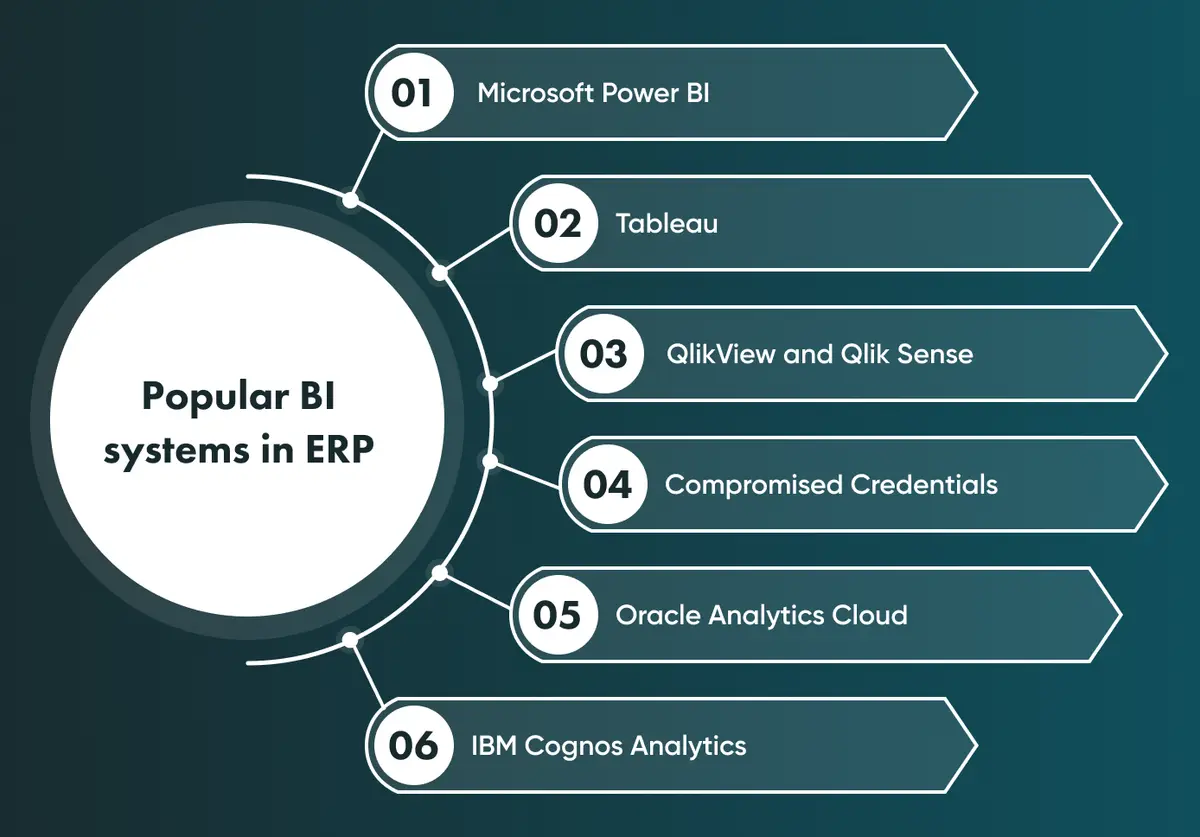
Several BI platforms are commonly paired with ERP systems, each with its own strengths in analytics, reporting, and visualisation.
Microsoft Power BI
Power BI remains one of the most widely adopted BI platforms and connects easily to most ERP systems. Its 2026 release wave added deeper Copilot integration, letting users ask questions in plain language and get answers grounded directly in Power BI's own semantic models rather than a generic AI guess.
Tableau
Tableau connects to ERP data and other sources with a drag-and-drop interface built for people who aren't data specialists. Real-time analysis and interactive dashboards remain its strongest features.
Qlik Sense and QlikView
These platforms are known for associative data modelling, letting users explore ERP data intuitively rather than through fixed report structures. QlikView leans toward guided analytics; Qlik Sense is built for self-service.
SAP Analytics Cloud (now part of SAP Business Data Cloud)
SAP folded Analytics Cloud into its broader Business Data Cloud in 2026, unifying it with Datasphere under one governed data layer. For SAP ERP customers, that means predictive analytics and reporting now pull from the same context as the AI agents running inside the ERP itself.
Oracle Fusion Analytics
Oracle's cloud analytics platform integrates directly with Oracle ERP, offering self-service analytics, interactive dashboards, and mobile access, along with built-in data preparation so teams spend less time cleaning data before they can analyse it.
IBM Cognos Analytics
Cognos connects to a wide range of data sources, including ERP systems, and adds AI-driven insight generation on top of its established reporting and modelling tools.
Google's Looker was named a Leader in the 2026 Gartner Magic Quadrant for Analytics and Business Intelligence Platforms for the third year running, a sign of where the wider market is heading: fewer static reports, more agentic, conversational analysis grounded in governed data.
Picking the right one depends on your ERP, your team's technical comfort, and how much of that AI-driven analysis you actually need on day one. Not every mid-market company needs the full agent stack straight away.
Review your current setup with us if you're not sure which of these fits your ERP.
How to implement BI in your ERP
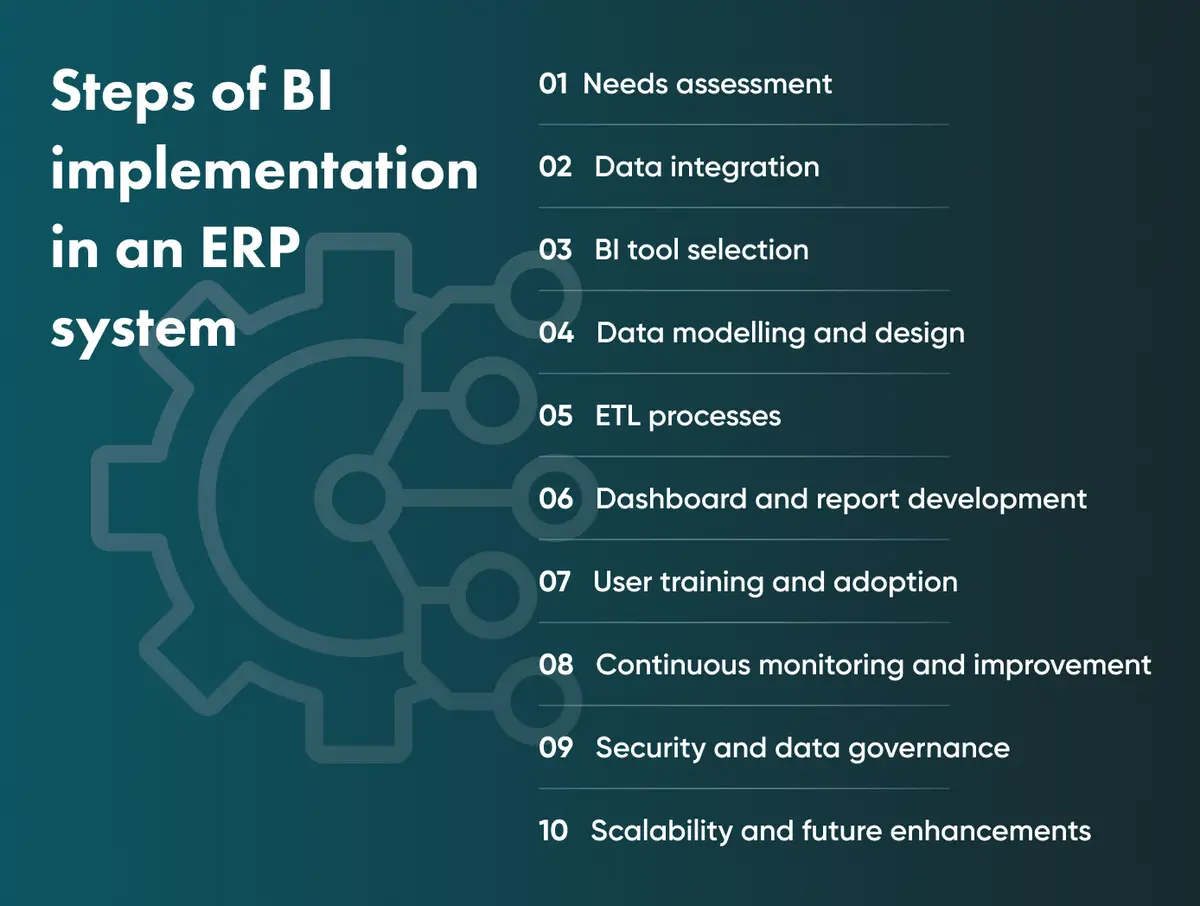
Adding BI to an existing ERP is a sequence, not a single project. Here's the order that tends to work.
1. Start with a needs assessment
Work out what you're actually trying to answer before choosing any tool. Business objectives, reporting needs, and analysis gaps should drive the shortlist, not the other way around.
2. Build the data integration layer
Set up a clean way to extract, transform, and load data from the ERP and any other source into the BI environment. Get this wrong, and every report downstream inherits the mess.
3. Choose the BI tool that fits
Weigh visualisation strength, analytical depth, scalability, ease of use, and how well each option actually talks to your ERP. The flashiest dashboard is worthless if it can't connect cleanly to your data.
4. Model the data properly
Define relationships, hierarchies, and dimensions so the BI layer can actually answer the questions people will ask it, not just display raw tables with nicer formatting.
5. Run the ETL process
Extract data from the ERP, transform it into a usable format, and load it into the BI environment, cleaning and structuring it along the way. Our detailed guide to ETL walks through how this works in practice.
6. Build dashboards people will actually open
Design interactive, customisable dashboards with drill-down options, built around what each stakeholder group actually needs to see, not a one-size-fits-all report.
7. Train the team and build the habit
Show people how to use the tools, and keep showing them why it matters. Adoption stalls fast when a dashboard looks impressive in a demo, but nobody opens it after week two.
8. Monitor, then improve
Track how the BI setup performs, collect feedback, and refine dashboards as business needs shift. This is not a one-and-done rollout.
9. Lock down security and governance
Set access controls, encryption, and data retention policies that satisfy your compliance obligations. Good cybersecurity consulting at this stage prevents a much bigger headache later.
10. Plan for scale
Build with room for more data sources and heavier analytical demands, because the BI layer that fits your company today rarely fits it in three years.
Common challenges (and how to solve them)
Bringing BI and ERP together properly runs into a few recurring obstacles. None of them are unusual, and none is unsolvable.
Getting every department pulling in the same direction
Different teams often track different KPIs, run different reports, and follow different workflows. Without some alignment across departments, a BI rollout stalls before it produces anything useful.
How to solve it
Get department heads to agree on a shared set of core metrics before the BI project starts, not after.
Pulling in data from everywhere, consistently
A BI layer is only as good as the data feeding it, and that means accounting for every relevant internal and external source, not just the obvious ones inside the ERP.
How to solve it
Map every data source up front, including the ones outside the ERP, and build the integration layer around all of them rather than adding sources piecemeal later.
Building a real strategy, not a wish list
A BI rollout without a clear strategy tends to drift: KPIs get added ad hoc, reporting formats multiply, and staff training becomes an afterthought.
How to solve it
Put the strategy in writing before any tool gets chosen, covering process changes, reporting structure, and a training plan for the people who'll actually use it.
Customising BI so it actually fits your business
Off-the-shelf BI tools often fall short of specific business needs, which leads to low adoption and a system nobody trusts enough to rely on.
How to solve it
A custom ERP built with BI functionality designed in from the start tends to fit real workflows better than a generic tool bolted on afterwards, and it's easier to extend as the business changes. This is exactly why it's worth commissioning custom ERP application development with BI built in from a company that's done it before, like Go Wombat.
A mid-sized distributor we've seen this play out with had three regional teams tracking inventory in three slightly different spreadsheet formats. None of the numbers matched at month-end. The fix wasn't a fancier dashboard. It was agreeing on one shared data model first, then building the BI layer on top of it (illustrative scenario, not a named client).
Manufacturing companies in particular tend to run into every one of these issues at once, given how many systems, production, inventory, and logistics need to feed the same BI layer cleanly.
Key takeaways
Bringing business intelligence into your ERP system is one of the more reliable ways to get a full picture of how your company actually performs. Done well, it turns raw operational data into real-time insight and gives decision-makers the confidence to act on what the numbers say rather than what they assume.
That said, none of this happens automatically. Companies need a clear strategy, properly aligned goals, and a BI setup built around their actual workflows rather than a generic template. Customisation is what separates a BI-powered ERP that gets used every day from one that quietly gets ignored after the first quarter.
Doing this well without the right experience is hard. Go Wombat has spent years building and upgrading ERP systems with BI baked in, across logistics operations and fintech businesses alike, and can help you avoid the expensive version of learning this the hard way.
Talk to our engineers about integrating BI into your ERP system, or explore what our BI and data visualisation services can do for your data before you commit to a build.
Frequently asked questions
Why is business intelligence used in ERP?
BI tools give companies timely, relevant information for decision-making by analysing the volume of data an ERP system generates. That analysis surfaces trends and patterns that are difficult to catch through manual review, which helps decision-makers act faster and with more confidence.
What are the benefits of BI in ERP?
The main gains are better KPI tracking, faster access to actionable insight, higher efficiency, stronger customer service, and fairer staff decisions. Combined, these add up to a clearer, more current picture of how the business is actually performing.
Is Power BI an ERP system?
No. Power BI is a business intelligence and visualisation tool, not an ERP. It connects to ERP systems, CRMs, and other data sources to analyse and display their data, but it doesn't manage core business processes like manufacturing, inventory, or finance the way an ERP does.
What is self-service BI, and does it replace a dedicated BI team?
Self-service BI lets non-technical staff build their own reports and dashboards without waiting on an analyst for every request. It doesn't replace a BI team so much as change what that team spends its time on: less report-building, more governance, data modelling, and making sure the self-service layer stays accurate.
How is AI changing BI in ERP in 2026?
AI has moved BI in ERP from static dashboards toward agents that can flag an issue, propose a fix, and in some cases act on it directly, as seen in SAP's 2026 Autonomous Suite and Microsoft's Copilot Cowork integration with Dynamics 365. The reporting layer hasn't disappeared, but it's no longer the whole story.
How much does adding BI to an ERP system typically cost?
It depends heavily on scope: a licensed BI tool bolted onto an existing ERP costs far less upfront than a custom-built BI layer designed around your specific workflows, but the custom route usually costs less over three to five years once you account for adoption, maintenance, and avoided rework. A discovery phase is the fastest way to get a realistic number for your specific setup.
Share and subscribe to our blog
Related articles

How to Build an ERP System: Modules, Integration and Development Steps
Plan an ERP project: compare custom and ready-made software, choose the first modules, and map integration, testing and rollout requirements.

Unlocking the Power of Data Visualisation in Business Intelligence
Data visualisation is essential to business intelligence (BI), enabling businesses to transform complex data into actionable insights. In today's data driven world, organisations must be able to quickly and effectively analyse data to make…

Enterprise Resource Planning - An Effective Solution for Businesses
Modern life is becoming ever more digital. Companies keep pace by focusing on innovative technologies to improve processes, connect data, incentivise collaboration and reduce costs. An Enterprise Resource Planning (ERP) system empowers bus…

How can we help you ?